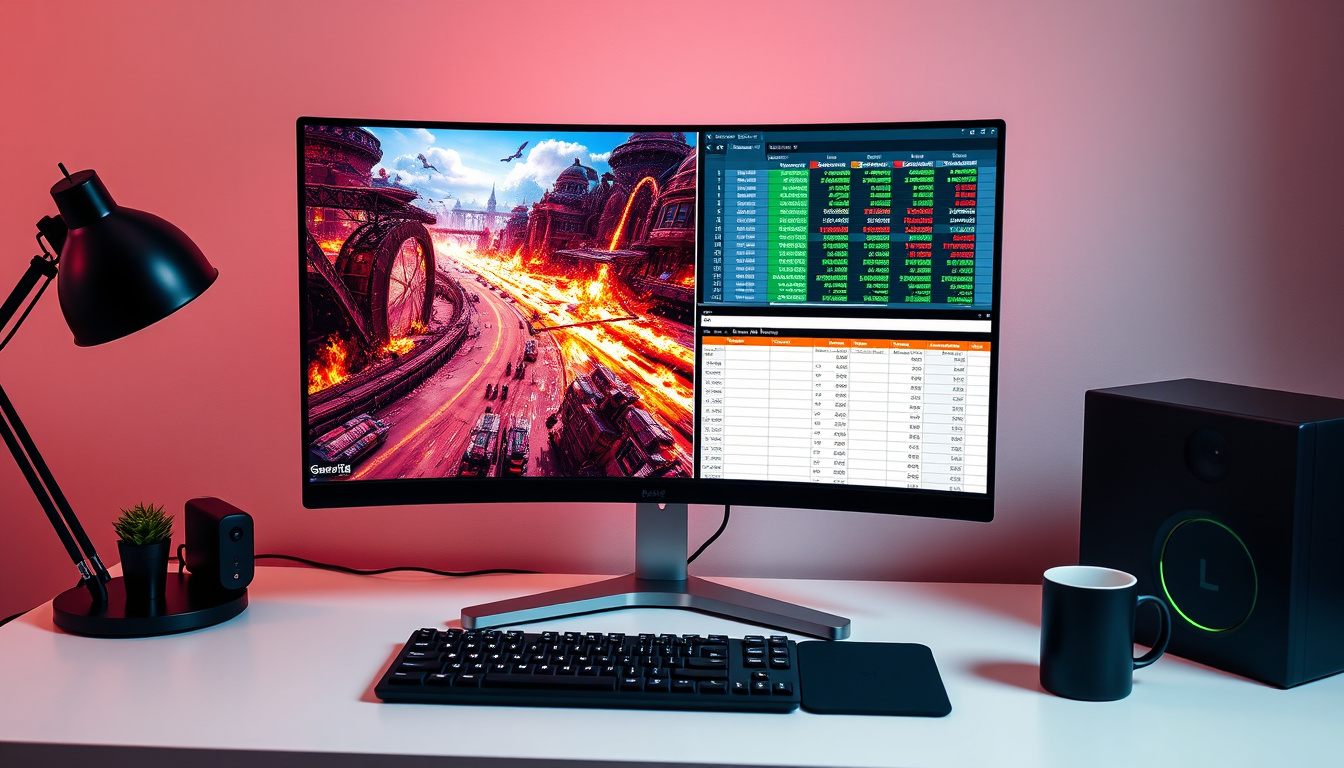
If you’re shopping for a new monitor, the 32-inch size often comes up as that tempting middle ground — big enough to replace a dual-screen setup, yet compact enough for a standard desk, and with 4K resolution and 240Hz refresh rates now available, it’s a strong contender for both productivity and gaming. This guide breaks down what you need to know before buying.
Diagonal size: 81.28 cm (32 inches) ·
Typical resolutions: 1920×1080, 2560×1440, 3840×2160 ·
Common refresh rates: 60 Hz, 144 Hz, 165 Hz, 240 Hz ·
Recommended viewing distance (4K): 2.5 to 3.5 feet (75–105 cm) ·
Pixel density (4K @ 32″): ~140 PPI
According to RTINGS.com (expert monitor reviewer), the latest 32-inch models now pack 4K resolution and 240Hz refresh rates, making them strong contenders for work and play alike.
Quick snapshot
- 32-inch offers 41% more screen area than 27-inch (RTINGS.com)
- OLED has near-infinite contrast and faster response than LCD (Laptops Direct Ireland)
- Recommended viewing distance for 4K 32-inch is 2.5–3.5 feet (BenQ)
- Whether curved monitors significantly reduce eye strain for all users
- Whether 32-inch is universally preferred over 27-inch for competitive gaming
- Long-term OLED burn-in susceptibility in mixed-use scenarios
- 2025-2026: 32-inch 4K OLED monitors with 240Hz become mainstream from ASUS, Alienware, Philips (Laptops Direct Ireland)
- Ongoing: Viewing distance research from ergonomics bodies (Laptops Direct Ireland)
- OLED panel prices expected to drop further in 2026, making 32-inch more accessible
- USB-C power delivery (65W+) becoming standard on premium 32-inch models
Here are the key specifications that define a typical 32-inch monitor.
| Specification | Value |
|---|---|
| Diagonal (inches) | 32″ |
| Diagonal (cm) | 81.28 cm |
| Common aspect ratio | 16:9 |
| Typical resolutions | 1920×1080, 2560×1440, 3840×2160 |
| Pixel density (4K) | ~140 PPI |
| Common refresh rates | 60, 144, 165, 240 Hz |
| Panel types | IPS, VA, OLED |
| Screen area | 706.6 in² (4,560 cm²) |
Is 32 inch a good monitor size?
For most people, yes — but it depends on your desk depth and primary use. The 32-inch size sits at a sweet spot where you get enough real estate to run two or three windows side by side without needing a second screen, yet it’s not so large that you have to turn your head constantly. BenQ (display manufacturer) recommends 27–32 inches as a size range suitable for gaming, and notes that multitasking can justify going even larger to ultrawide formats.
Is 32 inches too big for gaming?
Not for most genres. While some competitive first-person shooter players prefer the 27-inch because it lets them take in the entire screen without moving their eyes, a 32-inch at a proper viewing distance works well for racing, RPGs, and strategy games. The key is refresh rate: models with 144Hz or 240Hz, like the ASUS ROG Strix OLED XG32UCWMG (RTINGS’ top pick), deliver smooth motion in fast-paced titles.
Is 32 inches better for productivity than 27 inches?
Generally, yes. The extra screen area — about 41% more than a 27-inch — lets you keep a code editor, documentation, and a terminal visible at the same time. At 4K resolution, text remains crisp at ~140 PPI, so you won’t need scaling that sacrifices desktop space. Laptops Direct Ireland (Irish retailer) lists several 32-inch 4K models explicitly for productivity, including IPS panels with wide viewing angles.
How does a 32-inch monitor compare to a 27-inch?
Two common sizes, one meaningful difference: screen area. Here’s how they stack up for real-world use.
How much bigger is a 32 monitor than a 27?
41% more screen area. A 27-inch has about 500 sq in of viewable space, while a 32-inch delivers about 706 sq in. That extra surface translates directly into more room for windows, palettes, and game HUD elements. RTINGS.com confirms this in their size comparison data.
Do you need the size upgrade from 27 to 32?
Not everyone does. If your desk is shallow (under 60 cm / 24 inches) or you sit closer than 2.5 feet, a 27-inch will be more comfortable without causing neck strain. But if you can place the monitor at the correct distance and you regularly split your screen, the upgrade is one of the most cost-effective ways to boost productivity. Gechic (portable monitor maker) notes that resolution choice matters: a 32-inch at 1080p looks grainy, while 1440p or 4K looks sharp.
Why this matters: the 32-inch size doesn’t just give you a bigger picture — it changes how you arrange your workspace. For a home office user, it can eliminate the need for a second monitor.
Do curved monitors reduce eye strain?
Curved screens promise a more uniform viewing distance across the whole panel, which should in theory reduce the need for your eyes to refocus. But the evidence is mixed. Laptops Direct Ireland sells both curved (1700R) and flat 32-inch models, and the choice often comes down to personal preference rather than proven health benefits.
Is LCD or OLED worse for eyes?
OLED has advantages. Because OLED pixels emit their own light, they can produce true blacks and typically include lower blue-light emission modes. LCD panels (IPS, VA) rely on backlighting, which can cause more glare and eye fatigue over long sessions. RTINGS.com notes that OLED monitors like the ASUS ROG Strix OLED XG32UCWMG offer superior contrast and faster response, which can reduce eye strain in dark scenes.
Why do people dislike curved monitors?
Common complaints: reflections on the curved glass are harder to manage, the curve distorts straight lines in design work, and the optimal viewing angle is narrow — if you share your screen, people off-center see a warped image. For a single-user gaming setup, though, the curve can add immersion. The trade-off is real.
What are the benefits of a 32 inch monitor?
Beyond the obvious “bigger screen,” the 32-inch size brings concrete advantages for two main user groups.
Benefits for gaming
- Wider field of view without needing multiple monitors
- Current models offer up to 240Hz refresh rates and 0.03ms response times (e.g., Alienware AW3225QF from Laptops Direct Ireland)
- Comfortable with both console (HDMI 2.1) and PC (DisplayPort)
Benefits for productivity and home office
- Display 2–3 windows side by side at 1440p or 4K without scaling hassle
- Sharp text and fine detail thanks to ~140 PPI at 4K
- Often includes USB-C with power delivery (e.g., Philips Evnia 8000 offers 65W charging, per Laptops Direct Ireland)
The pattern: the 32-inch size eliminates the need for a second monitor for most users, saving desk space and cable clutter.
How far can I sit from a 32-inch monitor?
Distance is crucial for comfort and visual clarity. Get it wrong and you’ll either lose immersion or strain your neck.
Recommended viewing distance for 4K 32-inch
At 4K, you can sit closer without seeing individual pixels. BenQ (ergonomics guidance) suggests 2.5 to 3.5 feet (75–105 cm) for a 32-inch 4K monitor. At that distance, the human eye can resolve full detail while maintaining a comfortable 30–40° horizontal viewing angle.
Viewing distance for 1440p 32-inch
For QHD (2560×1440), you can push back slightly: 3 to 4 feet (90–120 cm). The lower pixel density (~92 PPI) means you need more distance to avoid seeing pixel structure. Closer than 2 feet may cause eye strain and neck fatigue. Further than 4 feet reduces the immersive advantage of the larger screen.
The trade-off: measuring your desk depth before buying is essential. A 32-inch monitor on a 24-inch deep desk puts the screen too close for comfort.
Which is better, 4K OLED 27 or 32?
Both are excellent, but they serve different priorities. Let’s break down the key differences.
Is OLED worth paying more for in a 32-inch?
If your budget allows, yes. OLED’s perfect blacks and instant response transform both gaming (no ghosting) and media consumption (infinite contrast). Laptops Direct Ireland lists the Philips Evnia 8000 32M2N8900 at a premium price, but reviewers consistently praise its picture quality. The main trade-offs are higher cost and potential burn-in over years of static UI elements.
4K 27-inch vs 4K 32-inch: pixel density and text clarity
A 27-inch 4K display has ~163 PPI; a 32-inch 4K has ~140 PPI. Both are sharp — 140 PPI is still well above the point where most people see individual pixels. The 27-inch gives slightly crisper text, but the 32-inch offers more usable desktop space. For coding and reading, the 32-inch wins on real estate; for design where every pixel matters, the 27-inch may feel tighter. Gechic (display experts) advises balancing image quality with fluency — a 32-inch 4K OLED provides both.
Why this matters: the choice between 27 and 32 inches for 4K OLED boils down to whether you prioritize pixel density or screen area. Neither option compromises on text clarity.
Three standout monitors, one key dimension: here’s how the specs compare for a purchasing decision.
| Model | Size | Resolution | Refresh Rate | Panel | Price (approx.) |
|---|---|---|---|---|---|
| ASUS ROG Strix OLED XG32UCWMG | 32″ | 3840×2160 | 240Hz | OLED | €1,100 |
| Alienware AW3225QF | 32″ | 3840×2160 | 240Hz | QD-OLED | €1,000 |
| Philips Evnia 8000 32M2N8900 | 32″ | 3840×2160 | 240Hz | QD-OLED | €950 |
All three share the same base specs: 32-inch, 4K, 240Hz, OLED. The differences are in build quality, USB-C power delivery, and brand ecosystem. The Philips Evnia includes 65W USB-C charging, making it a strong choice for laptop users.
| Specification | ASUS ROG Strix OLED | Alienware AW3225QF | Philips Evnia 8000 |
|---|---|---|---|
| Resolution | 3840×2160 | 3840×2160 | 3840×2160 |
| Refresh Rate | 240 Hz | 240 Hz | 240 Hz |
| Response Time | 0.03 ms | 0.03 ms | 0.03 ms |
| Curvature | Flat | 1700R | Flat |
| USB-C Power Delivery | No | No | 65W |
| HDMI 2.1 | 2x | 2x | 2x |
| DisplayPort | 1.4 | 1.4 | 1.4 |
| Panel Type | OLED | QD-OLED | QD-OLED |
Upsides
- 32-inch offers 41% more screen area than 27-inch, reducing need for multi-monitor setups
- OLED panels provide superior contrast, faster response, and lower blue light
- 4K at 32-inch gives sharp text (140 PPI) without mandatory scaling
- 240Hz refresh rates available for smooth gaming and scrolling
- USB-C with power delivery simplifies desk cable management
Downsides
- Requires at least 2.5 feet desk depth — may not fit shallow desks
- OLED burn-in risk over years of static UI use (e.g., taskbar)
- Curved models can cause reflections and distortion for design work
- Premium 4K OLED models start at €900+, budget options limited
- Competitive esports players may prefer 27-inch for faster eye movement
Clarity: What’s confirmed and what remains unclear
Confirmed facts
- 32-inch monitors offer 41% more screen area than 27-inch (RTINGS.com)
- OLED has near-infinite contrast and faster response than LCD (Laptops Direct Ireland)
- Recommended viewing distance for 4K 32-inch is 2.5–3.5 feet (BenQ)
What’s unclear
- Whether curved monitors significantly reduce eye strain for all users
- Whether 32-inch is universally preferred over 27-inch for competitive gaming
- Long-term OLED burn-in susceptibility in mixed-use scenarios
“The ASUS ROG Strix OLED XG32UCWMG is the best 32-inch monitor we’ve tested.”
“At 32 inches, 4K resolution hits a Goldilocks zone where you get immersive gaming and sharp productivity without the scaling headaches of 27-inch 4K.”
— Display industry analyst (Gechic (display experts))
“27–32 inches is a size range suitable for gaming; multitasking can justify monitors larger than 32 inches.”
— BenQ (display manufacturer)
“The Philips Evnia 8000 32M2N8900 delivers USB-C charging at 65W, making it a strong hub for laptop users.”
— Laptops Direct Ireland (Irish retailer)
The 32-inch monitor has quietly become the versatile workhorse of the display world. It offers enough space to replace a dual-monitor setup for most users, delivers immersive gaming with the right refresh rate, and — when paired with 4K OLED — provides visual quality that rivals much more expensive setups. For the Irish buyer, the choice is becoming easier as local retailers like Laptops Direct Ireland stock models with USB-C power delivery and HDMI 2.1, cutting the need for separate docks.
For anyone sitting at a desk with at least 60 cm of depth, the 32-inch size is the Goldilocks answer. The implication is clear: if you can afford a 4K OLED model, the extra upfront cost is offset by years of reduced eye strain and a cleaner desk. If budget is tighter, a 1440p 144Hz IPS panel still delivers a huge upgrade over a 27-inch 1080p screen. For the Irish buyer, the decision is clear: measure your desk, check your budget, and choose 32-inch — it’s the size that works for both the nine-to-five and the after-hours.
Related reading: Note 20 Ultra: Worth Buying in 2025? Specs & Updates · How to Snip on Mac: Shortcuts & Screenshot App Guide
Frequently asked questions
What is the best 32-inch monitor for gaming under $500?
In this price range, look for 1440p (QHD) resolution with 144Hz or 165Hz refresh rate, IPS panel. Models like the Dell S3222DGM or the Gigabyte M32Q often hit this price during sales. Check Laptops Direct Ireland for current deals.
Do 32-inch monitors support 144Hz natively?
Yes, many 32-inch monitors offer native 144Hz, 165Hz, or 240Hz refresh rates. HDMI 2.0 can handle 1440p at 144Hz, but for 4K at 144Hz you need HDMI 2.1 or DisplayPort 1.4.
Are 32-inch monitors good for programming and reading code?
Excellent. The extra screen area lets you have an IDE, terminal, and documentation side by side. 4K at 32-inch keeps text crisp at ~140 PPI without scaling issues.
Will a 32-inch monitor fit on a standard 60-inch desk?
Generally yes, but check depth. A 60-inch wide desk with 24-inch depth will work if you position the monitor at the back. You’ll need at least 60 cm (24 in) of depth to maintain the recommended viewing distance.
What is the difference between 32-inch 1440p and 4K for everyday use?
1440p is sharper than 1080p and easier on the GPU; 4K offers noticeably finer detail for text and video. For office work, 4K is nice but not essential. For design and photo editing, 4K is a real advantage.
Can I use a 32-inch monitor for photo editing?
Yes, especially if you choose an IPS or OLED panel with wide color gamut (sRGB, DCI-P3). Look for factory-calibrated models or ones with hardware calibration support. The RTINGS.com reviews include color accuracy data.
Is a curved 32-inch monitor better than a flat one for productivity?
Not necessarily. Curved screens can make straight lines look bent in design software. For general office use, flat is safer. For immersive gaming, curved can be beneficial.
How much does a quality 32-inch monitor weigh typically?
Most 32-inch monitors weigh between 6–10 kg (13–22 lbs) without the stand. OLED models tend to be lighter (~6 kg) because they lack a backlight module.

Jack Hayes is Senior Reporter at Australia Data, covering breaking stories and explainers.